Electrical Contractor Project & Billing Management Software
Real Estate & Property · Electrical Contractor Management Software From the BOQ estimate to the RA bill and the test certificate: one place for every electrical contract you run.About this app
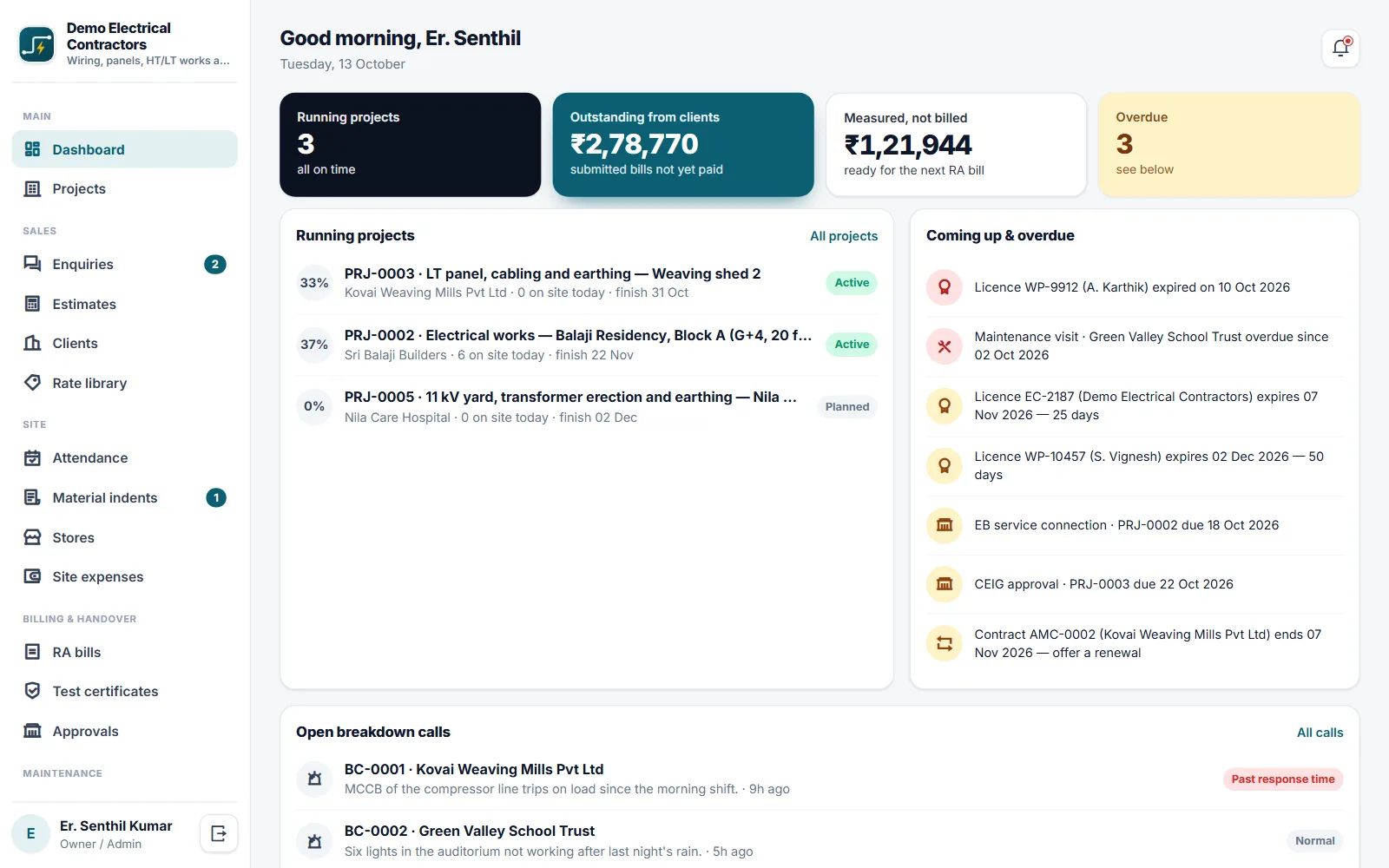
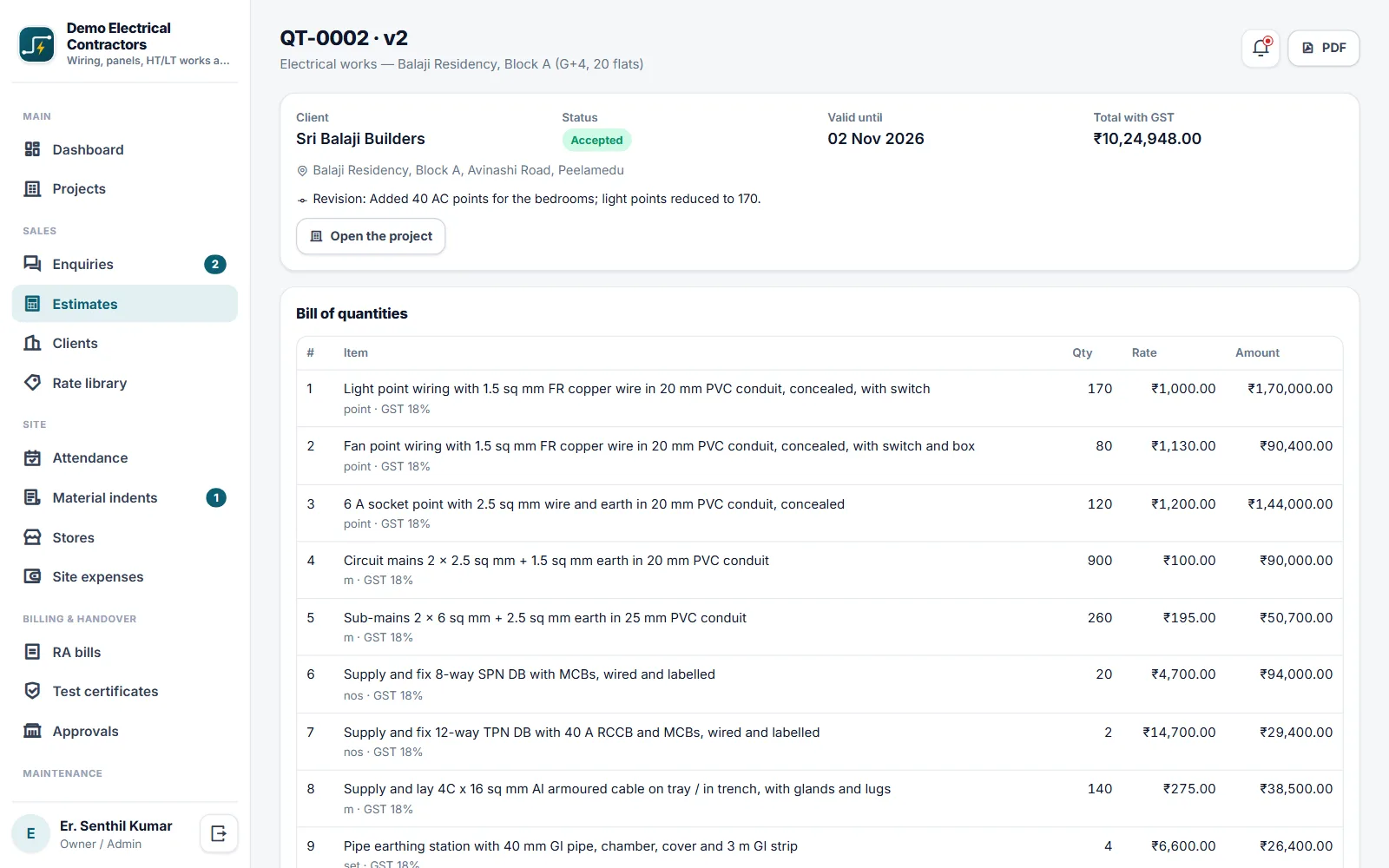
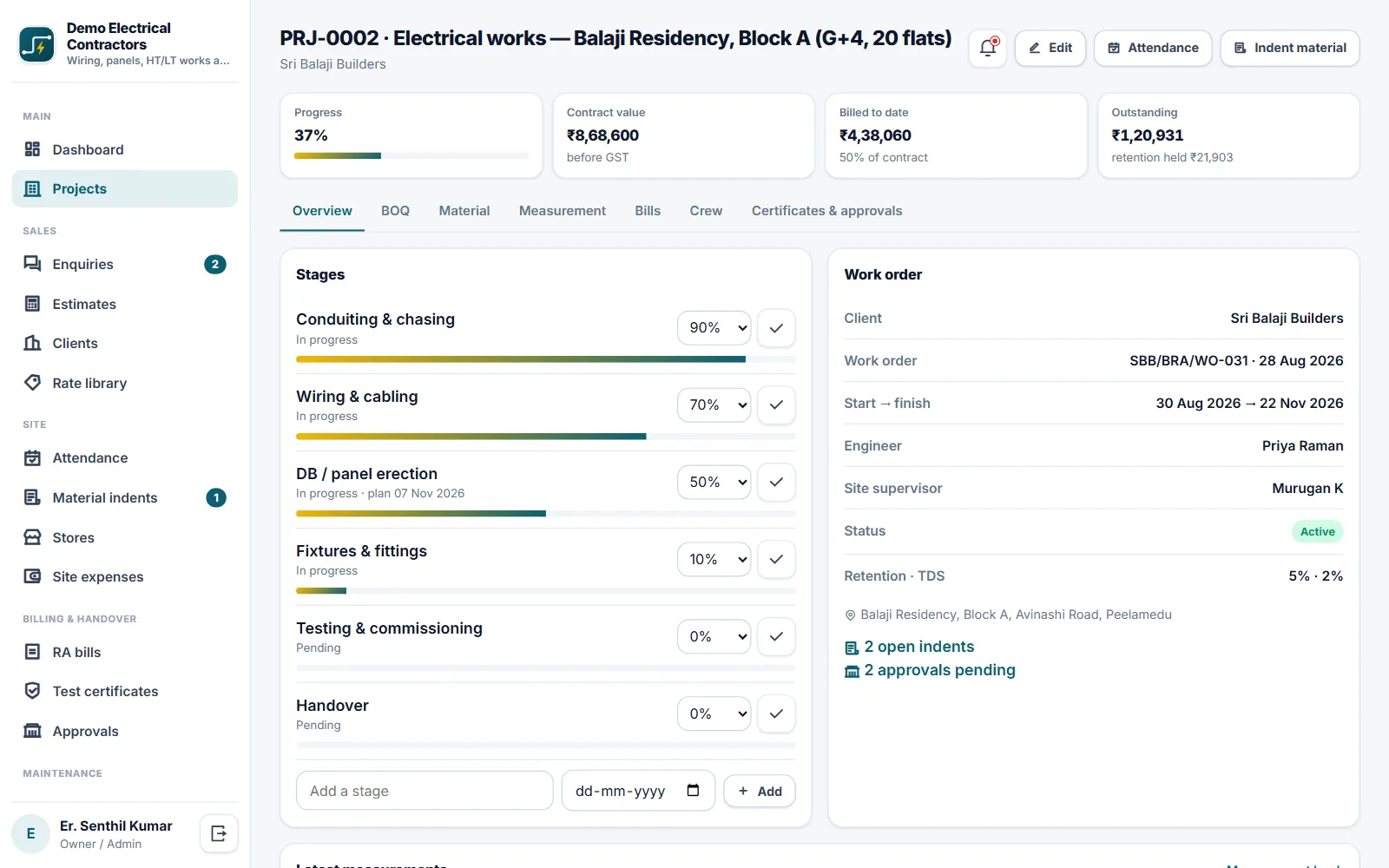
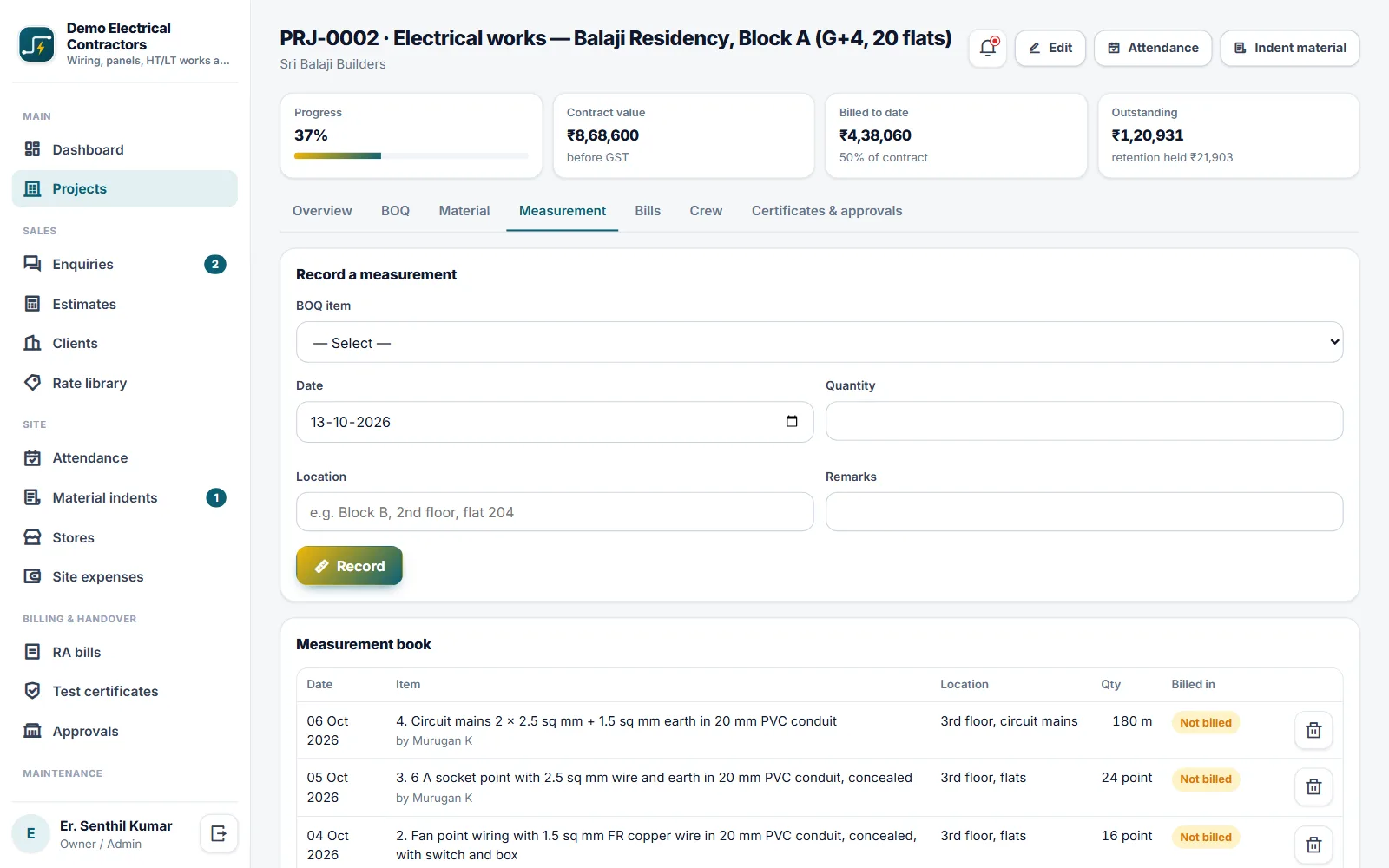
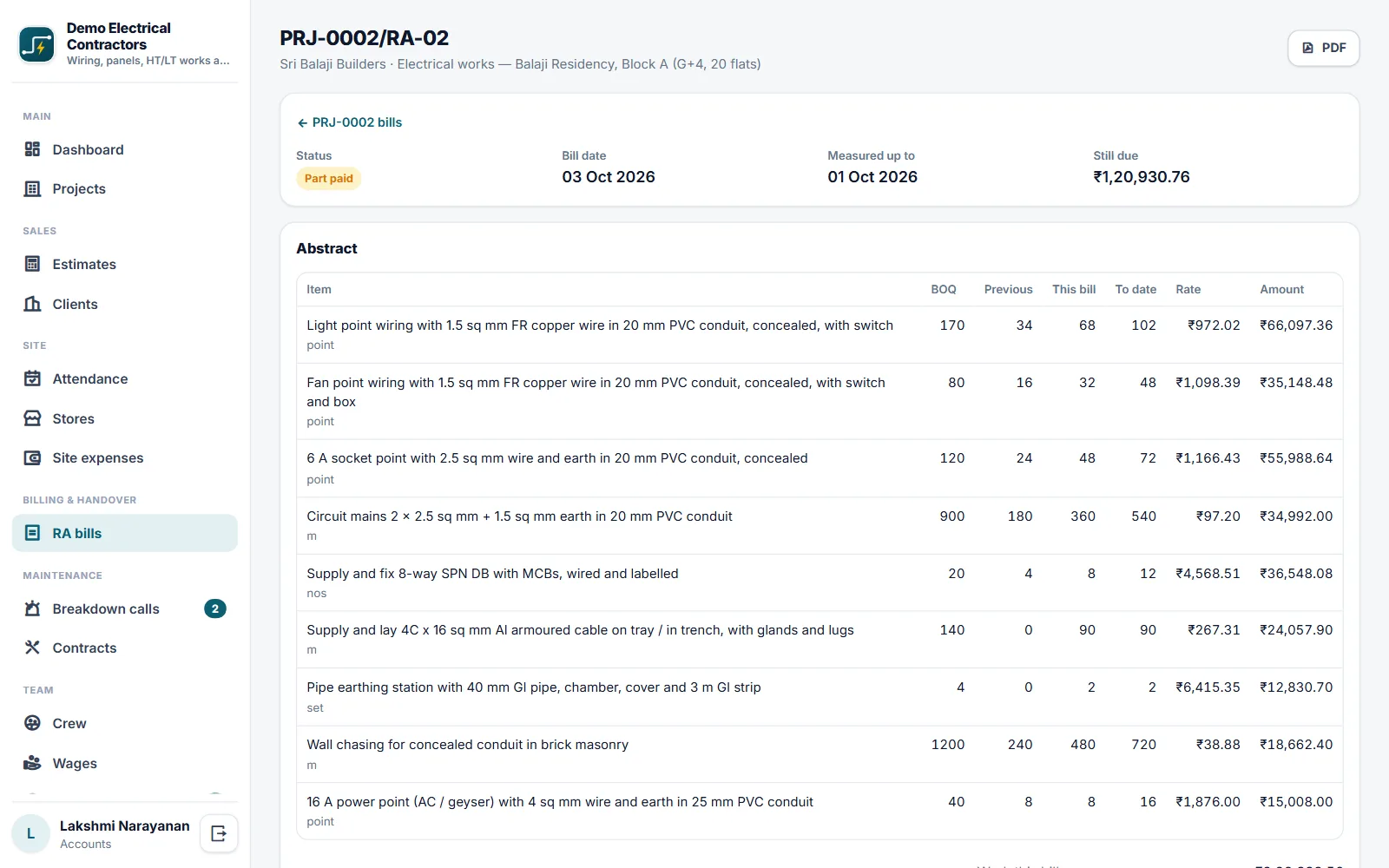
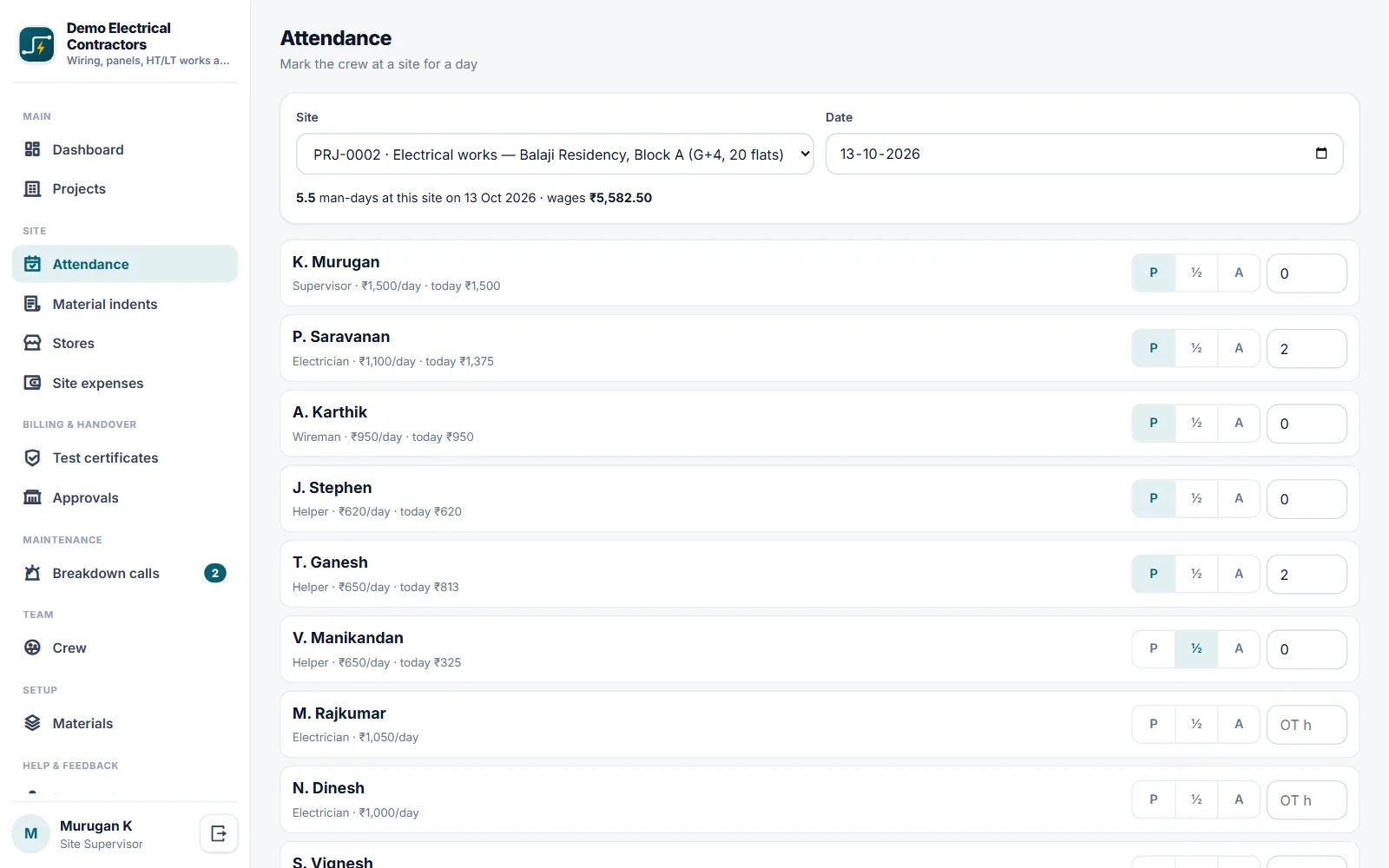
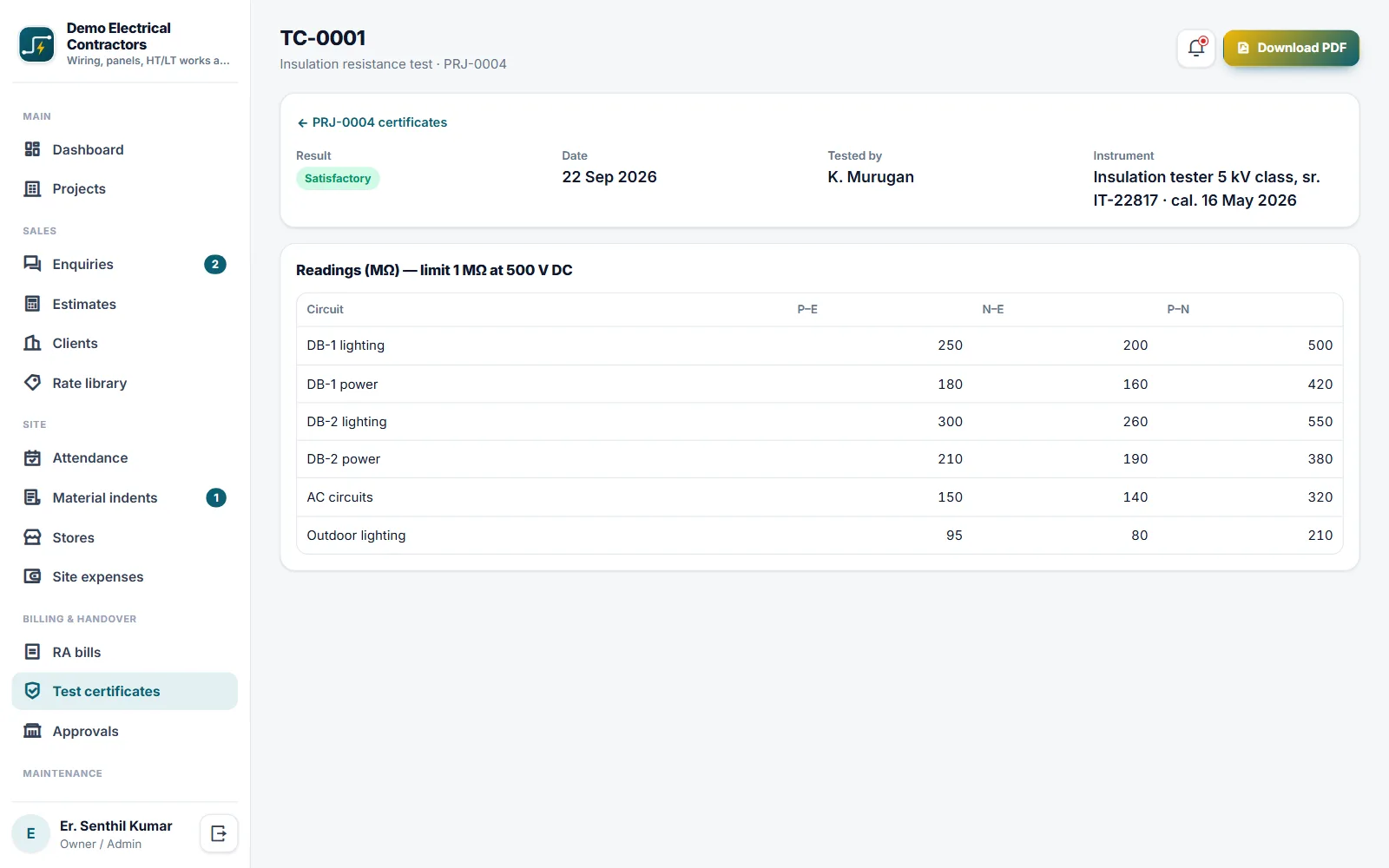
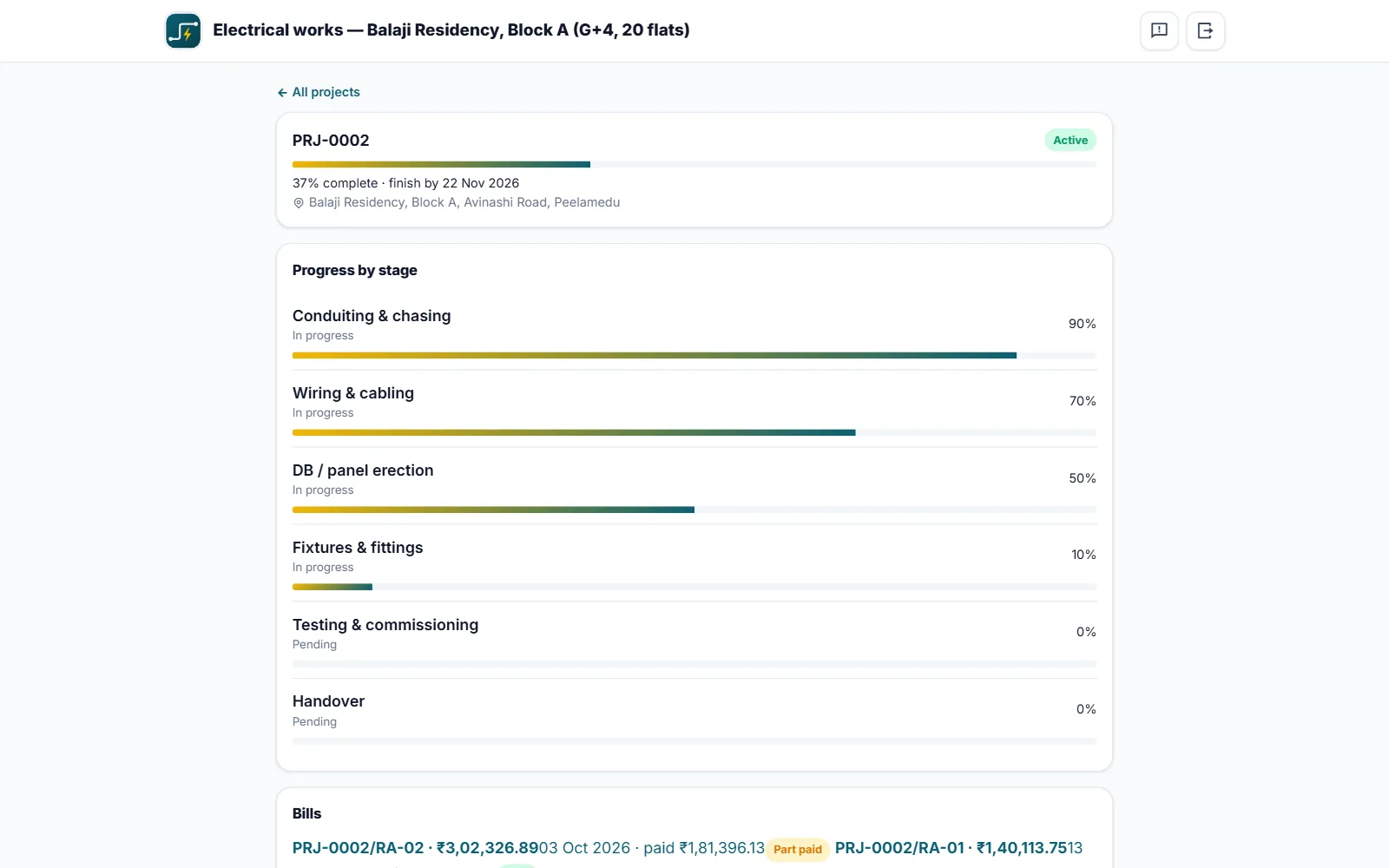
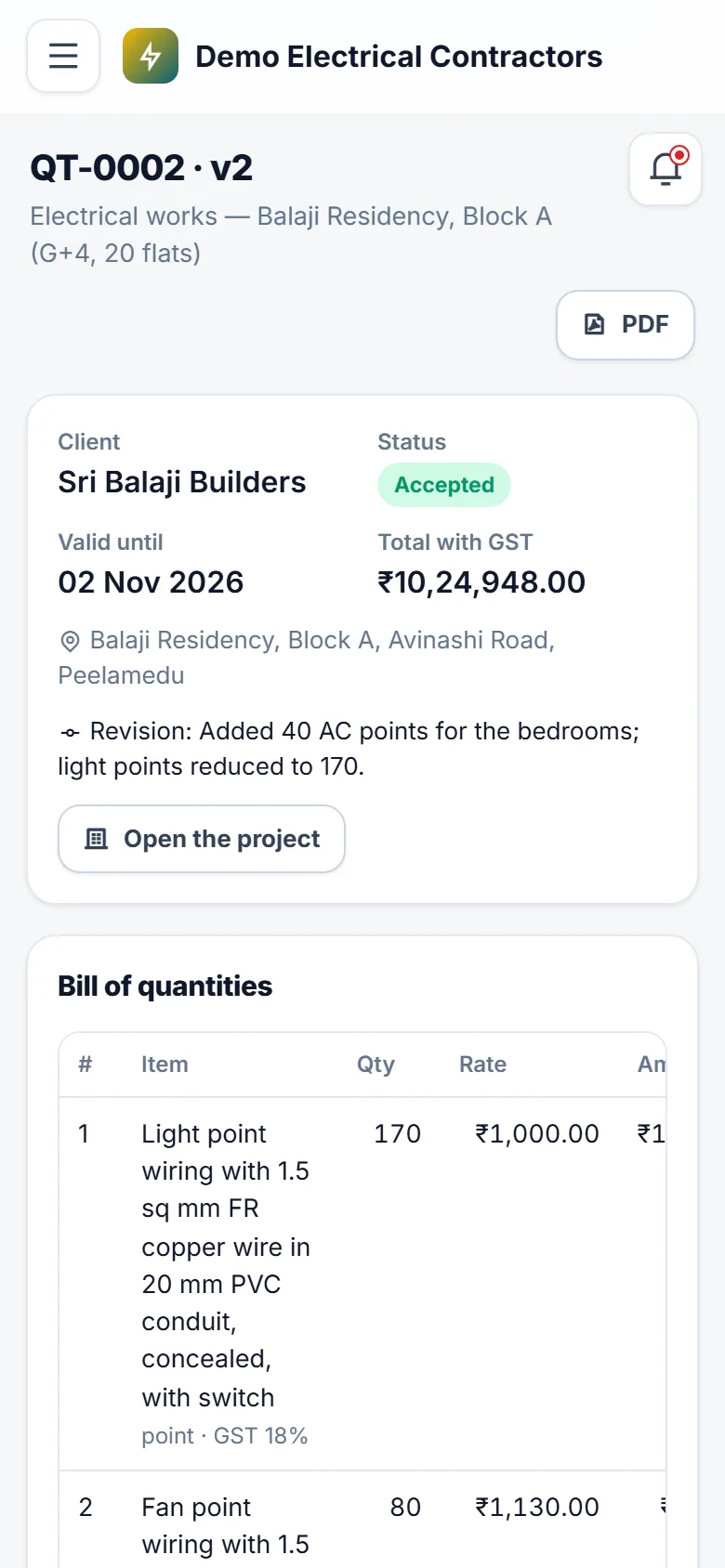
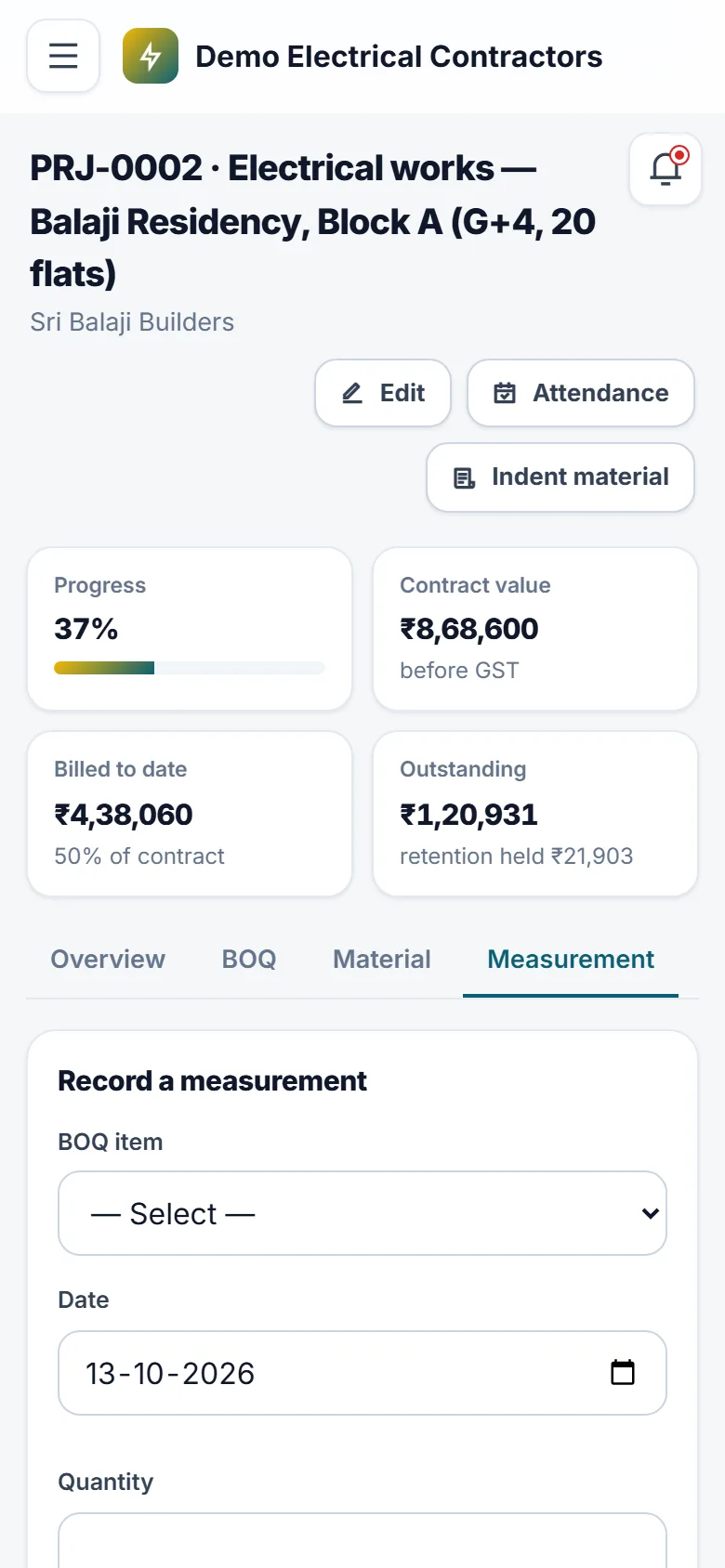
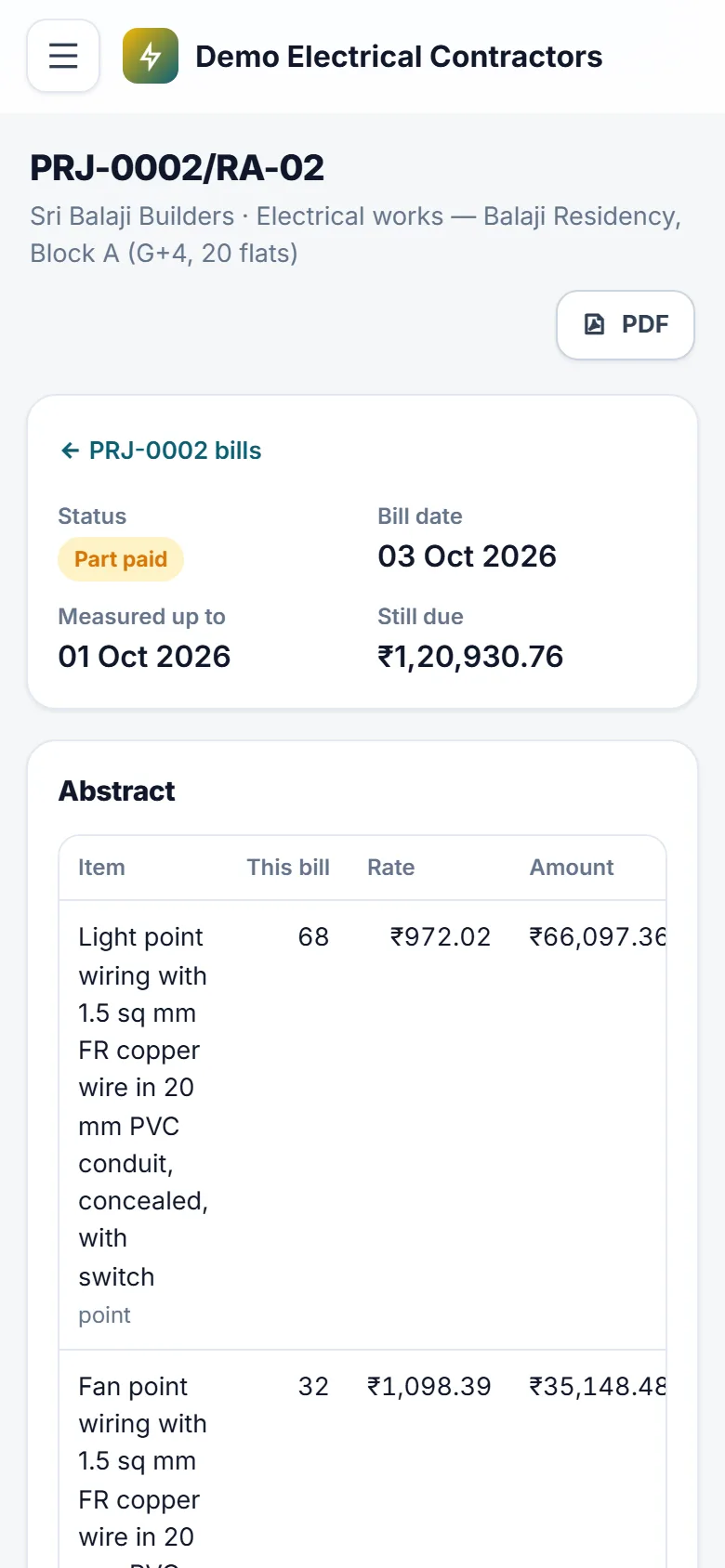
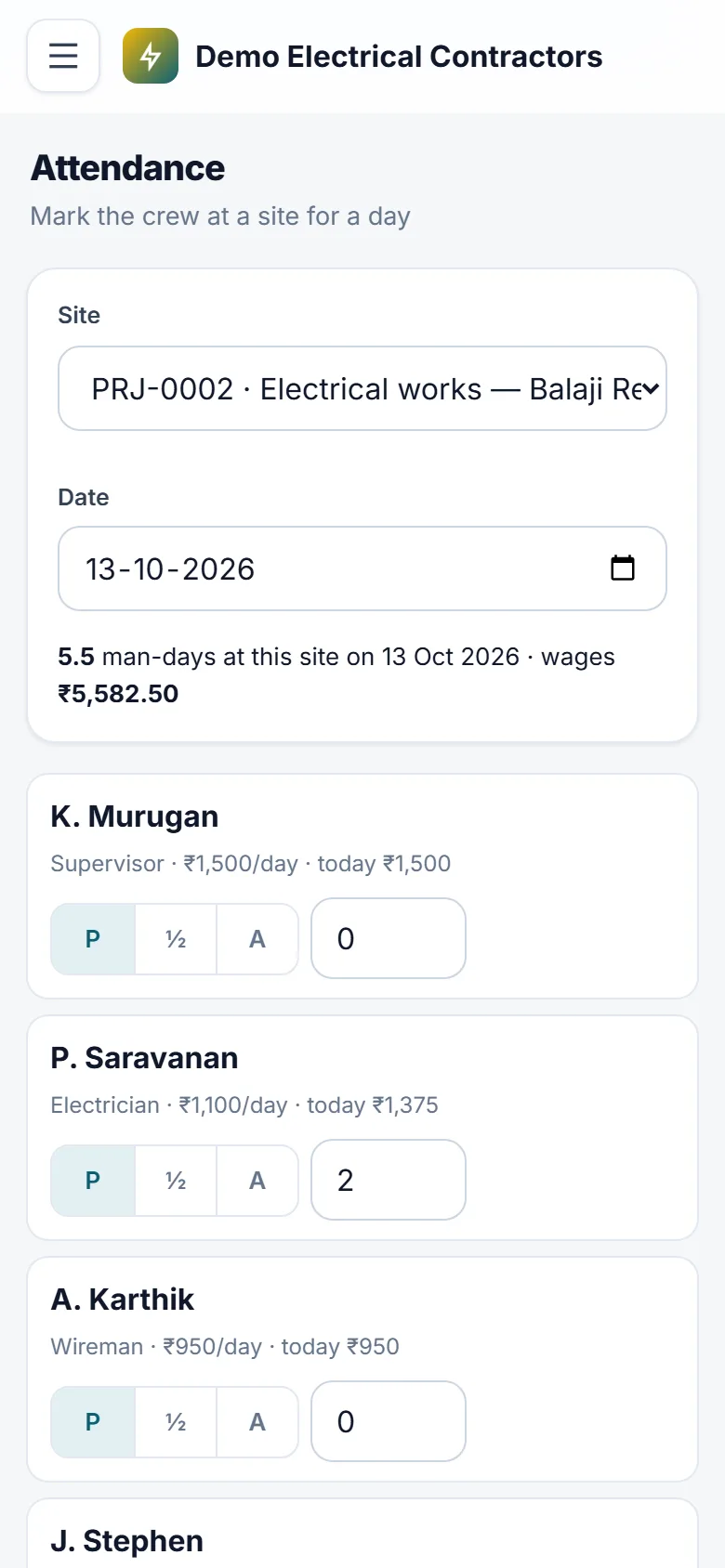
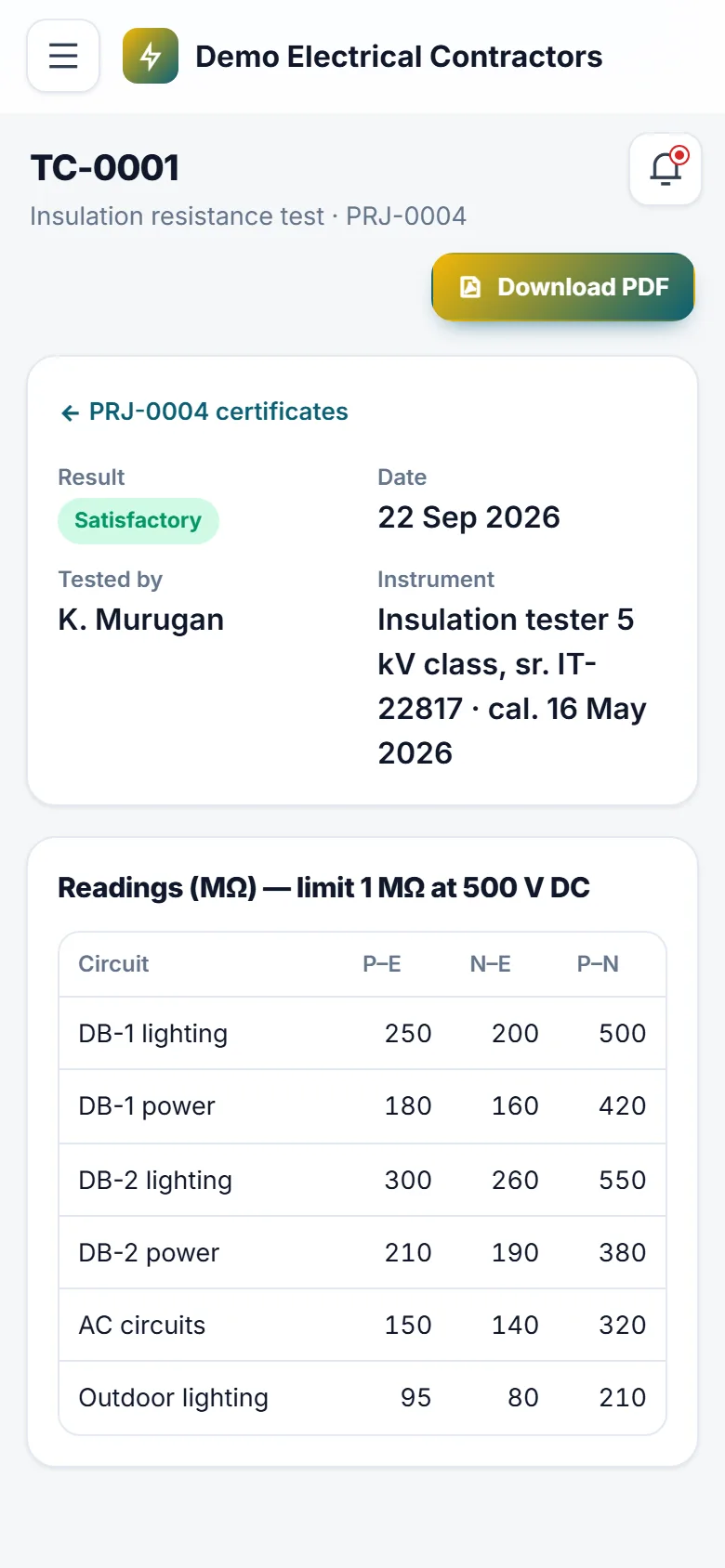
For the licensed electrical contractor who wires buildings, erects panels, does HT and LT works and keeps maintenance contracts — and loses money in the gaps between the estimate, the site and the bill. Estimate from your own rate library: points, cable per metre, DBs, panels, earthing and HT items, each with its material and labour rate and the material one unit uses. Build the BOQ, send the quotation as a PDF and revise it as a new version when the client asks for changes. When the client accepts, the work order becomes a project with its BOQ, stages and planned material — nothing typed twice. On site, supervisors raise material indents from a phone, the engineer approves and the stores issue against them; returns go back to the godown, and every site shows planned against used for each material. The godown can never show stock it does not have. Crew attendance is marked per site and day, overtime included, and wages are worked out for you; paid days are locked. Measure the work in the measurement book, and running account bills build themselves from it with GST (CGST and SGST, or IGST for another state), retention, mobilisation advance recovery, TDS and other deductions. Each measurement is billed once. Record part and full payments and see what every client owes, the retention they hold and the TDS they deducted. At handover, print insulation resistance and earthing test certificates and the completion report as PDFs, with readings checked against your own limits. Service connection, load sanction and Electrical Inspector approvals are tracked with documents and due dates, and contractor, supervisor and wireman licences remind you before they lapse. After the job, maintenance contracts plan their visits and breakdown calls carry their response time. Your clients get their own login for progress, bills, certificates and service calls. Your name, logo and colours are on every screen and document.
Why buyers pick it
Everything included 29
- Enquiries with source, site visit, status and the engineer handling them
- Rate librarypoints, cable per metre, DBs, panels, earthing, HT and labour items with material + labour rates and GST
- Material norms per rate item (what one point or metre uses)
- BOQ estimates from the library or your own items, discount, GST, PDF quotation
- Quotation versionsrevise a sent quotation, older versions kept as superseded
- Accepted quotation = work orderproject with BOQ, stages and planned material
- Projects created by hand for a client's own BOQ, with extra items added later
- Stages with progress per site; supervisors see only their own sites
- Material indentsrequest, approve or reject, issue against the indent, part issues
- Stores: purchase receipts, issue to site, return from site, stock adjustments with a reason; stock never negative
- Planned against issued, returned and used material per project
- Crew with daily wage and overtime rate; daily attendance per site (full, half, absent, overtime)
- One site per person per day; wages worked out and paid up to a date, paid days locked
- Measurement book per site, never beyond the BOQ quantity
- Running account bills from measurementsprevious, this bill and to-date quantities
- GST split CGST + SGST or IGST from the client's state; retention, advance recovery, TDS and other deductions
- Final bill and retention release; bill PDF with your bank details
- Bill statusdraft, submitted, certified, part paid, paid; cancel frees the measurements
- Payments received by bank, cheque, UPI or cash with reference
- Insulation resistance and earthing test certificates checked against your own limits, as PDF
- Completion report with work executed, tests and approvals, as PDF
- Statutory approvals per projectEB service connection, load sanction, CEIG, Electrical Inspector, DG set — with documents and due dates
- Contractor, supervisor and wireman licences with expiry reminders at 60, 30, 7 and 0 days
- Maintenance contracts with planned visits and renewal alerts
- Breakdown calls with priority, response time and chargeable visits
- Client portalprogress by stage, bills, certificates, approvals and service calls
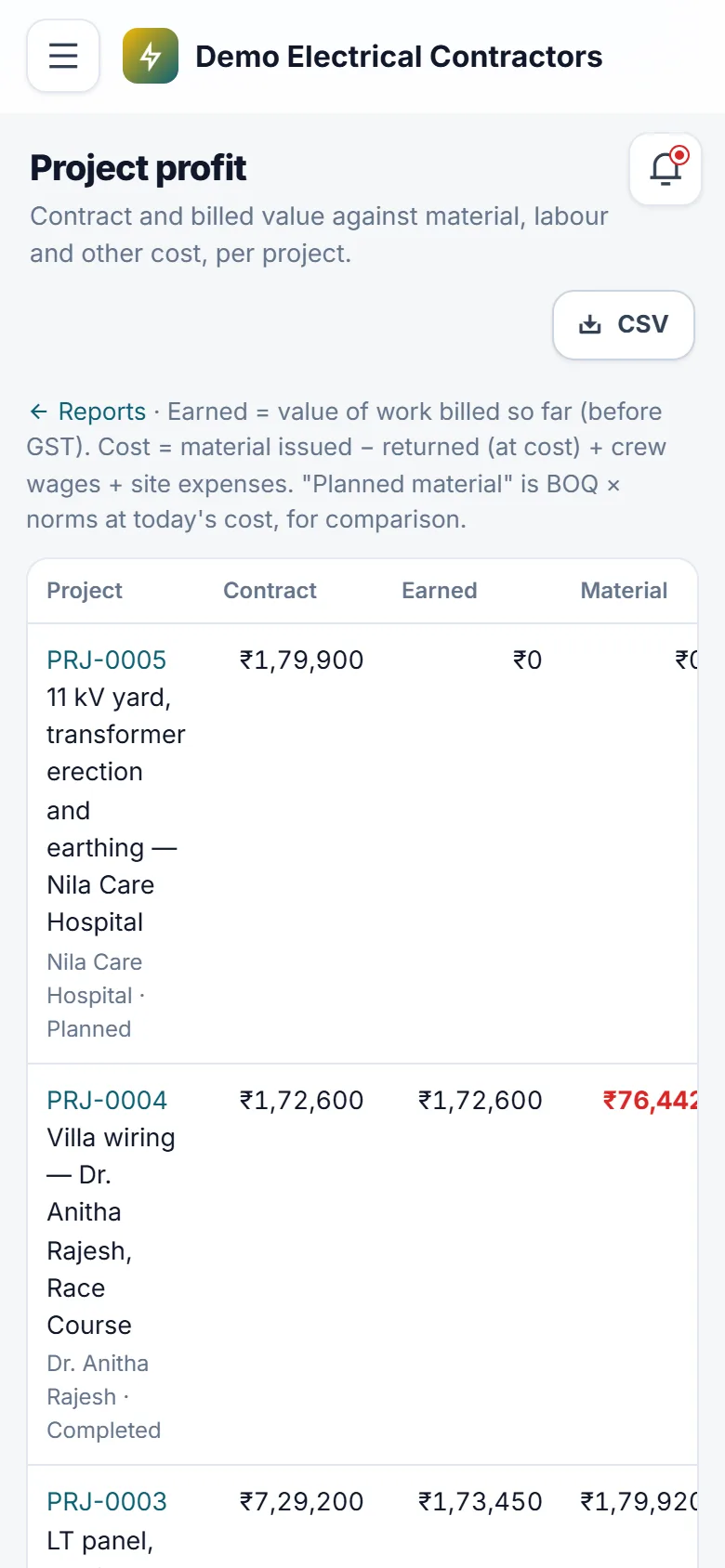
- Reports: project profit, receivables with retention and TDS, material consumption, labour and wages; CSV export
- Roles: owner, project engineer, site supervisor, accounts, client
- Your own name, logo, colours and web address
What you get
Ratings and reviews
No reviews yet — be the first!
Sign in to write a reviewWhat's new
Fair use limits
- Where your plan includes a set number of staff logins, Users & Roles shows how many are in use once 80% are taken. When all are in use, a new staff login asks you to switch one off or ask your provider for more. Customer and portal logins are never counted, and nobody is ever switched off.
- Where your plan limits imports, one import file can carry up to 5,000 rows. A bigger file is refused before anything is imported, with a note to split it.
- Where your plan limits photo size, uploaded photos are saved at up to 1600 pixels on the longest side, turned the right way up, so pages load faster and use less storage. Smaller photos are kept exactly as sent.